Mastering Shopify Analytics with Arka Smart Analyzer: Track Sales, Products, and Customers with Better Reporting
In the competitive world of eCommerce, data is no longer optional. Shopify merchants need clear, reliable analytics to understand what is selling, which products need attention, and how customers behave over time.
Shopify provides built-in analytics, but many store owners need deeper and more practical insights. That is where a dedicated Shopify analytics reporting app like Arka Smart Analyzer can help.
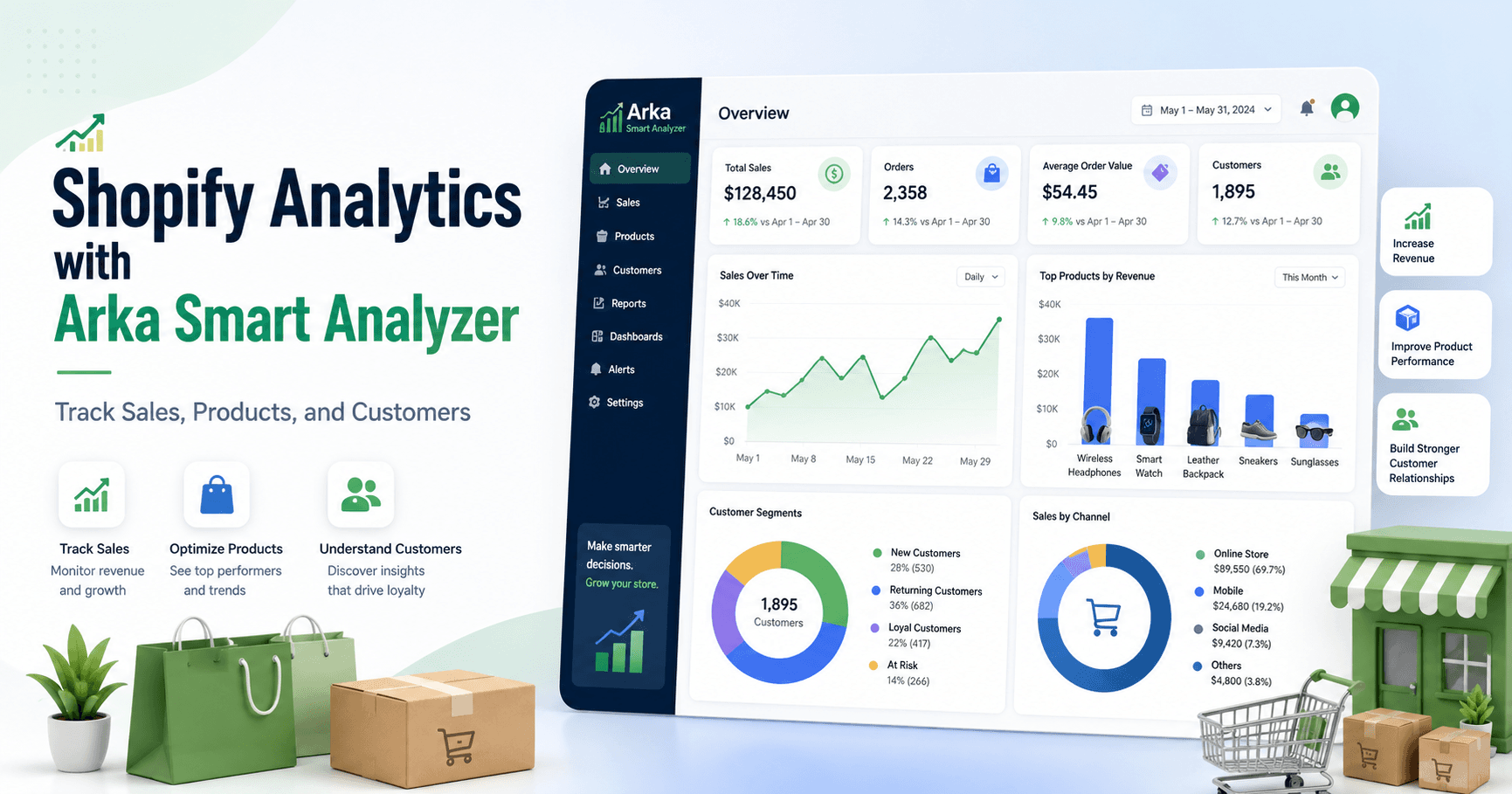
Arka Smart Analyzer is built for Shopify merchants who want a clearer view of their store performance, including sales trends, product analytics, customer insights, funnel visibility, and key business KPIs from an embedded analytics dashboard.
Understanding Shopify Analytics
Shopify analytics refers to the data generated by your online store. This data helps you understand how your business is performing and where improvements are needed.
The most important areas of Shopify analytics include sales data, product performance, and customer insights.
Sales Data
Sales analytics helps you track revenue, order volume, average order value, sales trends, and performance over time. With the right reporting dashboard, you can quickly see whether your store is growing, slowing down, or depending too heavily on specific campaigns or products.
Product Performance
Product analytics shows which products are selling well, which products are underperforming, and which items may need better promotion, pricing, bundling, or inventory planning.
For Shopify merchants, this is critical because product performance directly affects cash flow, marketing efficiency, and stock decisions.
Customer Insights
Customer analytics helps you understand purchasing behavior, customer segments, repeat customers, retention patterns, and buying trends.
Instead of only seeing orders, you can start understanding the people behind those orders.
Why Use a Shopify Analytics Reporting App?
Shopify’s default analytics can be useful, but many merchants eventually need more focused reporting. A dedicated Shopify analytics reporting app helps turn raw store data into practical business insight.
Deeper Insights
A tool like Arka Smart Analyzer gives merchants a more structured way to analyze Shopify sales, products, customers, and store KPIs. This makes it easier to identify opportunities and risks.
Easier Dashboards
Business owners do not always have time to dig through multiple reports. A Shopify analytics dashboard app should make important data visible quickly.
Arka Smart Analyzer is designed to help merchants view key analytics in a simpler, more organized way.
Better Decision-Making
Good analytics should support real business decisions, such as:
- Which products should receive more marketing budget?
- Which products are underperforming?
- Which customer segments are valuable?
- Are sales improving or declining?
- Which trends need action now?
With Arka Smart Analyzer, Shopify merchants can use data to guide sales, product, and customer strategies.
What Makes Arka Smart Analyzer Useful for Shopify Merchants?
Arka Smart Analyzer focuses on helping Shopify merchants understand their store performance through clear analytics and reporting.
Key areas include Shopify sales analytics, Shopify product analytics, Shopify customer analytics, store KPI dashboards, and funnel visibility.
Shopify Sales Analytics
Sales analytics helps you monitor revenue trends, order activity, and store performance over time.
With Arka Smart Analyzer, merchants can better understand how sales are changing and which periods, campaigns, or product groups may be driving revenue.
Shopify Product Analytics
Product performance is one of the most important parts of running a Shopify store.
Arka Smart Analyzer helps merchants analyze product performance so they can identify best-selling products, underperforming products, and opportunities for improvement.
This can support better inventory planning, pricing decisions, product bundling, and marketing campaigns.
Shopify Customer Analytics
Understanding customers is essential for retention and repeat sales.
Arka Smart Analyzer helps merchants view customer behavior and customer-related insights so they can better understand purchasing patterns and improve customer-focused strategies.
Store KPI Dashboard
A strong Shopify analytics dashboard should give merchants a fast overview of important business metrics.
Arka Smart Analyzer helps bring key Shopify KPIs into a more accessible dashboard, making it easier to monitor store health without manually checking multiple reports.
Funnel and Performance Visibility
For growing Shopify stores, it is important to understand where customers move through the buying journey and where performance may be weak.
Arka Smart Analyzer supports better visibility into store performance so merchants can identify areas that need attention.
How to Track Sales, Products, and Customers with Arka Smart Analyzer
Using a Shopify analytics reporting app should be simple and practical. Here is how merchants can use Arka Smart Analyzer to improve store reporting.
Step 1: Install Arka Smart Analyzer
Start by installing Arka Smart Analyzer from the Shopify App Store. Once connected to your Shopify store, the app can help analyze your store data and present insights through its dashboard.
Step 2: Review Your Sales Dashboard
Begin with your sales analytics.
Look at:
- Total sales
- Sales trends
- Order volume
- Average order value
- Revenue changes over time
This helps you understand whether your store is growing consistently or relying on short-term spikes.
Step 3: Analyze Product Performance
Next, review product analytics.
Focus on:
- Best-selling products
- Low-performing products
- Products with strong sales potential
- Products that may need better marketing
- Products that may need pricing or inventory adjustments
This helps you avoid guessing which products deserve attention.
Step 4: Understand Customer Behavior
Customer analytics can help you identify valuable customer patterns.
Review:
- Customer purchase behavior
- Repeat customer trends
- Customer segments
- Retention opportunities
- Buying patterns
Better customer insights can improve marketing, loyalty strategies, and long-term revenue.
Step 5: Use Insights to Take Action
Analytics only matters if it leads to action.
For example, if Arka Smart Analyzer shows that a product is selling well, you may increase ad spend, create a bundle, or ensure inventory is available.
If a product is underperforming, you may review pricing, improve the product page, update images, or test a discount.
If customer retention is weak, you may create email campaigns, loyalty offers, or personalized promotions.
Best Practices for Shopify Analytics Reporting
To get the most value from Arka Smart Analyzer, follow these best practices.
Review Analytics Regularly
Do not check analytics only when sales drop. Review your Shopify analytics dashboard weekly or monthly to identify trends early.
Focus on the Right Metrics
Not every metric has the same value. Focus on the metrics that connect directly to business growth:
- Revenue
- Average order value
- Product performance
- Customer retention
- Repeat purchases
- Conversion behavior
- Sales trends
Compare Trends Over Time
One-day data can be misleading. Look at weekly, monthly, and seasonal patterns to understand real performance.
Use Product Insights for Inventory and Marketing
Product analytics should influence stock planning, promotions, bundles, and advertising decisions.
Use Customer Insights for Retention
Customer analytics can help you increase repeat purchases and improve long-term customer value.
Why Arka Smart Analyzer Is a Strong Shopify Analytics Reporting App
Arka Smart Analyzer is a practical option for Shopify merchants who want clearer reporting without unnecessary complexity.
It is especially useful for merchants who need to track:
- Shopify sales analytics
- Shopify product analytics
- Shopify customer analytics
- Store KPIs
- Sales trends
- Product performance
- Customer segments
- Funnel visibility
- Business reporting from one dashboard
Instead of relying only on basic Shopify reports, merchants can use Arka Smart Analyzer to better understand what is happening in their store and make more confident decisions.
Conclusion
A Shopify analytics reporting app can help merchants move from guesswork to data-driven decisions.
With Arka Smart Analyzer, Shopify store owners can track sales, analyze product performance, understand customer behavior, and monitor important store KPIs from a clearer analytics dashboard.
For merchants who want better visibility into their Shopify store, Arka Smart Analyzer provides a practical way to turn store data into business insight.
Ready to get clearer Shopify insights? Install Arka Smart Analyzer from the Shopify App Store and start tracking sales, products, customers, and store KPIs from one dashboard.